The case for drawing a process before trying to fix it
Why as-is mapping comes before improvement, how to run a mapping session, and where handoffs, waits, rework loops and approval chains show up on the page.
The DiagramDock team · · 10 min read
Most attempts to fix a process start with the fix. Someone notices that purchase orders take too long, or that new starters arrive without a laptop, and a solution is proposed in the same meeting: a new form, a new tool, a new rule. Weeks later the problem is still there, because the fix was aimed at a process that only existed in the head of the person who proposed it.
Drawing the process first is slower by an afternoon and faster by months. It forces a shared description of what actually happens, and that description is usually the first time anyone has seen the whole thing at once. Put the process on the canvas. The bottleneck usually becomes obvious.
Why nobody agrees on how the process works
Ask five people how a process works and you will get five accurate descriptions of five different processes. This is not carelessness. Each person sees the part they touch in detail and the rest as a blur. The finance assistant knows exactly what happens after a purchase request reaches her inbox and has a vague sense of what happened before. The requester knows how to fill in the form and assumes everything after it is a single step called "waiting for approval".
There is also the gap between the official process and the real one. Documented procedures describe how the process was designed, often years ago. The real process includes the workarounds people invented when the design did not fit: the spreadsheet someone keeps on the side, the colleague you message directly because the queue is slow, the step everyone skips because it never catches anything.
Neither gap is visible in conversation. People talk past each other because they are using the same words for different things. "Approval" means one signature to the requester and three to the finance team. A diagram exposes the mismatch because two people cannot draw the same box in two different places without someone noticing.
Map the as-is before the to-be
An as-is map describes the process as it runs today. A to-be map describes the process you want. The temptation is to skip straight to the second, because designing the future is more interesting than documenting the present. Resist it.
Without an as-is map, the to-be map has nothing to be compared against. You cannot say which steps you removed, which handoffs you eliminated, or whether the new design quietly reintroduces a problem the old one had already solved. You also lose the most persuasive argument for change: a picture of the current process, drawn by the people who run it, showing the loop that sends every third request back to the start.
| As-is map | To-be map | |
|---|---|---|
| Describes | What happens today, including workarounds | What should happen after the change |
| Source | Observation and the people doing the work | Design decisions agreed by the owners |
| Tone | Honest, sometimes embarrassing | Deliberate, simplified |
| Typical mistake | Drawing the official procedure instead of reality | Drawing an ideal nobody has resourced |
| Useful for | Finding the problem | Agreeing and communicating the fix |
A useful rule: if the as-is map looks tidy, it is probably the official procedure. Real processes have loops, waits and exceptions. Go back and ask what happens when things go wrong.
How to run a mapping session
A mapping session is a facilitated conversation with a diagram as its output. The facilitator's job is to keep the group describing what happens, not what should happen, and to keep the scope narrow enough to finish.
- Fix the boundaries before you start. Name the trigger (what starts the process) and the outcome (what counts as done). "Purchase requested" to "order placed" is a process. "Procurement" is a department.
- Invite the people who do the work, from every team the process touches. Managers are welcome but should not narrate on behalf of their staff.
- Draw the ordinary path first, end to end, before discussing any exceptions. This gives everyone a shared spine to hang the rest on.
- Then walk it again and ask at every step: what can go wrong here, and what happens next when it does? Each answer is a decision or a loop.
- Mark waits explicitly. Ask how long work usually sits before the next step starts, and write it on the diagram even if the answer is a rough range.
- Note disagreements on the page rather than resolving them in the room. A sticky note saying "Sales says two days, ops says a week" is more useful than a forced consensus.
- Stop when the group can trace a real recent case through the diagram without anyone saying "that's not quite how it works".
The last step is the real test. Pick an actual request from last month and walk it through the map. If it takes a path the diagram does not have, the diagram is not finished.
Where the problems show up on the page
Once the process is drawn, certain shapes on the page reliably point at trouble. You do not need a methodology to spot them; you need to know what to look for.
Handoffs
Every time work moves from one person or team to another, it can be delayed, misunderstood or dropped. On a flowchart a handoff can be invisible, because the arrow looks the same whether it stays inside a team or crosses a building. On a swimlane diagram it is an arrow crossing a lane boundary, which is why swimlanes are so useful for cross-team processes. Count the handoffs. Each one is a place to ask who is responsible for noticing when the work has stalled.
Waits
Most elapsed time in a business process is spent waiting, not working. A request that needs ten minutes of attention can take a week because it sits in four queues. Waits rarely appear on official procedures because nobody designs them; they emerge. Writing the typical wait next to each arrow often changes the conversation entirely, because the slow step turns out not to be a step at all.
Rework loops
A loop that sends work backwards is a sign that something upstream is not catching a problem it could catch. The form is incomplete, so finance sends it back. The draft misses the brief, so it goes round again. Loops are legitimate when they reflect genuine iteration, but when the same loop fires on most cases, the fix belongs at the step before it, not inside it.
Approval chains
Approvals accumulate. Each one was added for a reason, often after a single bad incident, and none is ever removed. On the page they appear as a column of decision diamonds, each with a person attached. The useful questions are whether each approver ever says no, and whether the approver knows they are holding up the process.
%20scale(0.46)%20translate(0%2C0)%22%3E%3Cline%20x1%3D%22330%22%20y1%3D%2228%22%20x2%3D%22340%22%20y2%3D%22175%22%20stroke%3D%22%236b6660%22%20stroke-width%3D%221.5%22%2F%3E%3Cline%20x1%3D%22340%22%20y1%3D%22175%22%20x2%3D%2280%22%20y2%3D%22292%22%20stroke%3D%22%236b6660%22%20stroke-width%3D%221.5%22%2F%3E%3Cline%20x1%3D%22340%22%20y1%3D%22175%22%20x2%3D%22600%22%20y2%3D%22292%22%20stroke%3D%22%236b6660%22%20stroke-width%3D%221.5%22%2F%3E%3Cline%20x1%3D%2280%22%20y1%3D%22292%22%20x2%3D%22335%22%20y2%3D%22440%22%20stroke%3D%22%236b6660%22%20stroke-width%3D%221.5%22%2F%3E%3Cline%20x1%3D%22600%22%20y1%3D%22292%22%20x2%3D%22335%22%20y2%3D%22440%22%20stroke%3D%22%236b6660%22%20stroke-width%3D%221.5%22%2F%3E%3Cline%20x1%3D%22335%22%20y1%3D%22440%22%20x2%3D%22600%22%20y2%3D%22422%22%20stroke%3D%22%236b6660%22%20stroke-width%3D%221.5%22%2F%3E%3Cline%20x1%3D%22600%22%20y1%3D%22422%22%20x2%3D%22335%22%20y2%3D%22440%22%20stroke%3D%22%236b6660%22%20stroke-width%3D%221.5%22%2F%3E%3Cline%20x1%3D%22335%22%20y1%3D%22440%22%20x2%3D%22340%22%20y2%3D%22552%22%20stroke%3D%22%236b6660%22%20stroke-width%3D%221.5%22%2F%3E%3Cline%20x1%3D%22340%22%20y1%3D%22552%22%20x2%3D%22340%22%20y2%3D%22682%22%20stroke%3D%22%236b6660%22%20stroke-width%3D%221.5%22%2F%3E%3Cline%20x1%3D%22340%22%20y1%3D%22682%22%20x2%3D%22330%22%20y2%3D%22808%22%20stroke%3D%22%236b6660%22%20stroke-width%3D%221.5%22%2F%3E%3Cg%20transform%3D%22translate(260%2C0)%22%20opacity%3D%221%22%3E%3Crect%20x%3D%220%22%20y%3D%220%22%20width%3D%22140%22%20height%3D%2256%22%20rx%3D%2228%22%20fill%3D%22%23ffffff%22%20stroke%3D%22%23c8c4bd%22%20stroke-width%3D%221%22%2F%3E%3C%2Fg%3E%3Cg%20transform%3D%22translate(260%2C130)%22%20opacity%3D%221%22%3E%3Cpath%20d%3D%22M0%2C0%20L160%2C0%20L160%2C73.8%20Q120%2C90%2080%2C73.8%20Q40%2C57.6%200%2C73.8%20Z%22%20fill%3D%22%23ffffff%22%20stroke%3D%22%23c8c4bd%22%20stroke-width%3D%221%22%2F%3E%3C%2Fg%3E%3Cg%20transform%3D%22translate(0%2C260)%22%20opacity%3D%221%22%3E%3Crect%20x%3D%220%22%20y%3D%220%22%20width%3D%22160%22%20height%3D%2264%22%20rx%3D%222%22%20fill%3D%22%23ffffff%22%20stroke%3D%22%23c8c4bd%22%20stroke-width%3D%221%22%2F%3E%3C%2Fg%3E%3Cg%20transform%3D%22translate(520%2C260)%22%20opacity%3D%221%22%3E%3Crect%20x%3D%220%22%20y%3D%220%22%20width%3D%22160%22%20height%3D%2264%22%20rx%3D%222%22%20fill%3D%22%23ffffff%22%20stroke%3D%22%23c8c4bd%22%20stroke-width%3D%221%22%2F%3E%3C%2Fg%3E%3Cg%20transform%3D%22translate(260%2C390)%22%20opacity%3D%221%22%3E%3Cpath%20d%3D%22M75%2C0%20L150%2C50%20L75%2C100%20L0%2C50%20Z%22%20fill%3D%22%23ffffff%22%20stroke%3D%22%23c8c4bd%22%20stroke-width%3D%221%22%2F%3E%3C%2Fg%3E%3Cg%20transform%3D%22translate(520%2C390)%22%20opacity%3D%221%22%3E%3Crect%20x%3D%220%22%20y%3D%220%22%20width%3D%22160%22%20height%3D%2264%22%20rx%3D%222%22%20fill%3D%22%23ffffff%22%20stroke%3D%22%23c8c4bd%22%20stroke-width%3D%221%22%2F%3E%3C%2Fg%3E%3Cg%20transform%3D%22translate(260%2C520)%22%20opacity%3D%221%22%3E%3Crect%20x%3D%220%22%20y%3D%220%22%20width%3D%22160%22%20height%3D%2264%22%20rx%3D%222%22%20fill%3D%22%23ffffff%22%20stroke%3D%22%23c8c4bd%22%20stroke-width%3D%221%22%2F%3E%3C%2Fg%3E%3Cg%20transform%3D%22translate(260%2C650)%22%20opacity%3D%221%22%3E%3Crect%20x%3D%220%22%20y%3D%220%22%20width%3D%22160%22%20height%3D%2264%22%20rx%3D%222%22%20fill%3D%22%23ffffff%22%20stroke%3D%22%23c8c4bd%22%20stroke-width%3D%221%22%2F%3E%3C%2Fg%3E%3Cg%20transform%3D%22translate(260%2C780)%22%20opacity%3D%221%22%3E%3Crect%20x%3D%220%22%20y%3D%220%22%20width%3D%22140%22%20height%3D%2256%22%20rx%3D%2228%22%20fill%3D%22%23ffffff%22%20stroke%3D%22%23c8c4bd%22%20stroke-width%3D%221%22%2F%3E%3C%2Fg%3E%3C%2Fg%3E%3C%2Fsvg%3E)
The onboarding example shows two of these patterns at once. The parallel branches after the contract is signed are a handoff to two separate teams, and the chase loop before the start date is a rework loop. If that loop fires on most new starters, the problem is not the chasing. It is that IT and payroll do not hear about the start date early enough.
Worked example: purchase approvals at a 40-person company
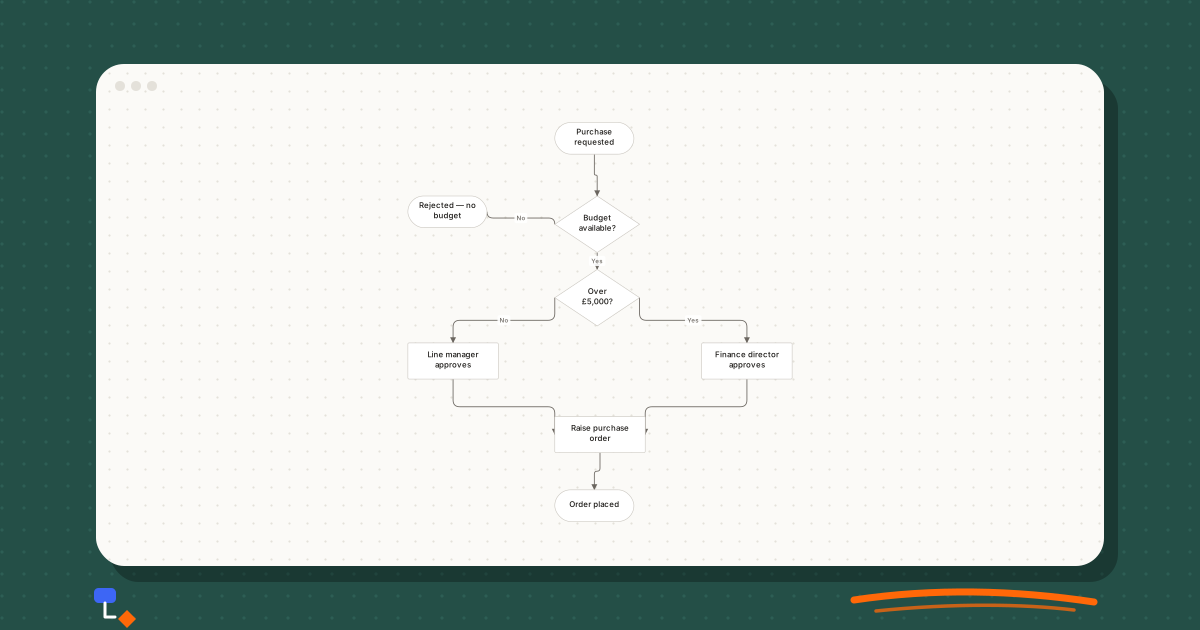
Consider a 40-person company where staff complain that buying anything takes weeks. The proposed fix is a new purchasing tool. Before buying it, the operations lead runs a mapping session with a requester, a line manager, the finance assistant and the finance director.
The official procedure is short: request, check budget, approve, raise a purchase order. The ordinary path drawn in the room matches it, with one detail added. Requests over £5,000 go to the finance director rather than the line manager.
%20scale(0.55)%20translate(0%2C0)%22%3E%3Cline%20x1%3D%22330%22%20y1%3D%2228%22%20x2%3D%22335%22%20y2%3D%22180%22%20stroke%3D%22%236b6660%22%20stroke-width%3D%221.5%22%2F%3E%3Cline%20x1%3D%22335%22%20y1%3D%22180%22%20x2%3D%2270%22%20y2%3D%22158%22%20stroke%3D%22%236b6660%22%20stroke-width%3D%221.5%22%2F%3E%3Cline%20x1%3D%22335%22%20y1%3D%22180%22%20x2%3D%22335%22%20y2%3D%22310%22%20stroke%3D%22%236b6660%22%20stroke-width%3D%221.5%22%2F%3E%3Cline%20x1%3D%22335%22%20y1%3D%22310%22%20x2%3D%2280%22%20y2%3D%22422%22%20stroke%3D%22%236b6660%22%20stroke-width%3D%221.5%22%2F%3E%3Cline%20x1%3D%22335%22%20y1%3D%22310%22%20x2%3D%22600%22%20y2%3D%22422%22%20stroke%3D%22%236b6660%22%20stroke-width%3D%221.5%22%2F%3E%3Cline%20x1%3D%2280%22%20y1%3D%22422%22%20x2%3D%22340%22%20y2%3D%22552%22%20stroke%3D%22%236b6660%22%20stroke-width%3D%221.5%22%2F%3E%3Cline%20x1%3D%22600%22%20y1%3D%22422%22%20x2%3D%22340%22%20y2%3D%22552%22%20stroke%3D%22%236b6660%22%20stroke-width%3D%221.5%22%2F%3E%3Cline%20x1%3D%22340%22%20y1%3D%22552%22%20x2%3D%22330%22%20y2%3D%22678%22%20stroke%3D%22%236b6660%22%20stroke-width%3D%221.5%22%2F%3E%3Cg%20transform%3D%22translate(260%2C0)%22%20opacity%3D%221%22%3E%3Crect%20x%3D%220%22%20y%3D%220%22%20width%3D%22140%22%20height%3D%2256%22%20rx%3D%2228%22%20fill%3D%22%23ffffff%22%20stroke%3D%22%23c8c4bd%22%20stroke-width%3D%221%22%2F%3E%3C%2Fg%3E%3Cg%20transform%3D%22translate(260%2C130)%22%20opacity%3D%221%22%3E%3Cpath%20d%3D%22M75%2C0%20L150%2C50%20L75%2C100%20L0%2C50%20Z%22%20fill%3D%22%23ffffff%22%20stroke%3D%22%23c8c4bd%22%20stroke-width%3D%221%22%2F%3E%3C%2Fg%3E%3Cg%20transform%3D%22translate(0%2C130)%22%20opacity%3D%221%22%3E%3Crect%20x%3D%220%22%20y%3D%220%22%20width%3D%22140%22%20height%3D%2256%22%20rx%3D%2228%22%20fill%3D%22%23ffffff%22%20stroke%3D%22%23c8c4bd%22%20stroke-width%3D%221%22%2F%3E%3C%2Fg%3E%3Cg%20transform%3D%22translate(260%2C260)%22%20opacity%3D%221%22%3E%3Cpath%20d%3D%22M75%2C0%20L150%2C50%20L75%2C100%20L0%2C50%20Z%22%20fill%3D%22%23ffffff%22%20stroke%3D%22%23c8c4bd%22%20stroke-width%3D%221%22%2F%3E%3C%2Fg%3E%3Cg%20transform%3D%22translate(0%2C390)%22%20opacity%3D%221%22%3E%3Crect%20x%3D%220%22%20y%3D%220%22%20width%3D%22160%22%20height%3D%2264%22%20rx%3D%222%22%20fill%3D%22%23ffffff%22%20stroke%3D%22%23c8c4bd%22%20stroke-width%3D%221%22%2F%3E%3C%2Fg%3E%3Cg%20transform%3D%22translate(520%2C390)%22%20opacity%3D%221%22%3E%3Crect%20x%3D%220%22%20y%3D%220%22%20width%3D%22160%22%20height%3D%2264%22%20rx%3D%222%22%20fill%3D%22%23ffffff%22%20stroke%3D%22%23c8c4bd%22%20stroke-width%3D%221%22%2F%3E%3C%2Fg%3E%3Cg%20transform%3D%22translate(260%2C520)%22%20opacity%3D%221%22%3E%3Crect%20x%3D%220%22%20y%3D%220%22%20width%3D%22160%22%20height%3D%2264%22%20rx%3D%222%22%20fill%3D%22%23ffffff%22%20stroke%3D%22%23c8c4bd%22%20stroke-width%3D%221%22%2F%3E%3C%2Fg%3E%3Cg%20transform%3D%22translate(260%2C650)%22%20opacity%3D%221%22%3E%3Crect%20x%3D%220%22%20y%3D%220%22%20width%3D%22140%22%20height%3D%2256%22%20rx%3D%2228%22%20fill%3D%22%23ffffff%22%20stroke%3D%22%23c8c4bd%22%20stroke-width%3D%221%22%2F%3E%3C%2Fg%3E%3C%2Fg%3E%3C%2Fsvg%3E)
Then the facilitator asks what goes wrong. Several things surface that are not in the procedure.
- The finance assistant cannot check the budget without a cost code, and many requests arrive without one. They go back to the requester by email. This is a rework loop that the official procedure does not show.
- Line managers approve in batches when they remember. The typical wait at that step is several days, though the approval itself takes a minute.
- The finance director is travelling for part of most months. Requests over the threshold wait for her return because nobody else is authorised.
- Requesters cannot see where their request is, so they message the finance assistant, which interrupts the work that would have moved it forward.
With the waits written next to each arrow, the shape of the problem is clear. Almost none of the elapsed time is spent in the steps the new tool would speed up. The time is spent in the cost-code loop and in two approval queues.
The to-be map that follows is modest. The request form gains a required cost-code field, which removes the loop. Line managers get a daily reminder rather than relying on memory. A deputy is named for the finance director's approvals. None of these needed a new tool, and a new tool alone would have fixed none of them.
The figures in a session like this are estimates from the people in the room. Treat them as a starting point and check a handful of real cases before committing to a change.
Common mistakes when mapping a process
- Scoping too wide. "Customer service" is not a process. "Refund requested to customer notified" is. If the diagram has more than one trigger, split it.
- Mapping only the happy path. The ordinary case is usually fine. The problems live in the exceptions, so every decision needs every branch drawn.
- Letting the most senior person describe the process. They will describe the design, not the practice.
- Using vague step names. "Process request" hides three different activities. Name each step with a verb and an object: "Check budget code", "Raise purchase order".
- Jumping to solutions mid-session. Write proposed fixes in a separate list and come back to them once the as-is map is complete.
- Never revisiting the map. A process map is accurate on the day it is drawn. Date it, and redraw it after the change is in place to see whether it worked.
Choosing a format for the map
A plain flowchart is enough for most first sessions. It captures sequence, decisions and loops with four shapes, and nobody needs training to read it. When the conversation keeps returning to who does what, switch to a swimlane diagram, where each lane is an owner and every handoff becomes visible as a line crossing a lane boundary.
A process map, in the stricter sense, sits a level above both: it shows the major stages, their owners and the outcomes, without every decision. It is often the right thing to put in front of senior people once the detailed flowchart has done its job. The distinction between these levels is covered in more depth in the companion article on process maps and workflows.
Mapping a process in DiagramDock
DiagramDock has separate flowchart, process map and swimlane diagram types, each with its own palette of shapes. In a flowchart, quick-add lets you select a shape and click a + handle to place the next step already connected, which keeps pace with a conversation. Decision branches can be labelled Yes or No in one click, and the suggestions panel flags steps that cannot be reached and decision branches without labels, which are both common in a first draft.
Everything is stored locally in your browser, so a map drawn in a session stays on the machine it was drawn on. Export it to PDF or SVG to circulate it afterwards, and keep a workspace backup if the map matters, because clearing browser data deletes it.
Questions
- What is the difference between an as-is and a to-be process map?
- An as-is map records how the process runs today, including the workarounds and waits. A to-be map shows the process you intend to run after changes. The as-is map comes first, because without it you cannot tell which parts of the to-be map are actually different.
- How long should a process mapping session take?
- For a single process with one clear trigger and outcome, a focused session of around ninety minutes is usually enough to get a first draft. If it runs much longer, the scope is probably too wide and should be split into separate processes.
- Who should be in the room when mapping a process?
- The people who do the work at each step, not only the people who manage it. Include someone from every team the process passes through, and at least one person who handles the exceptions.
- Should I use a flowchart or a swimlane diagram for process mapping?
- Start with a flowchart if you mainly need to agree the sequence of steps. Move to swimlanes when ownership and handoffs between teams are the likely source of the problem, which in cross-team processes they usually are.
Keep reading
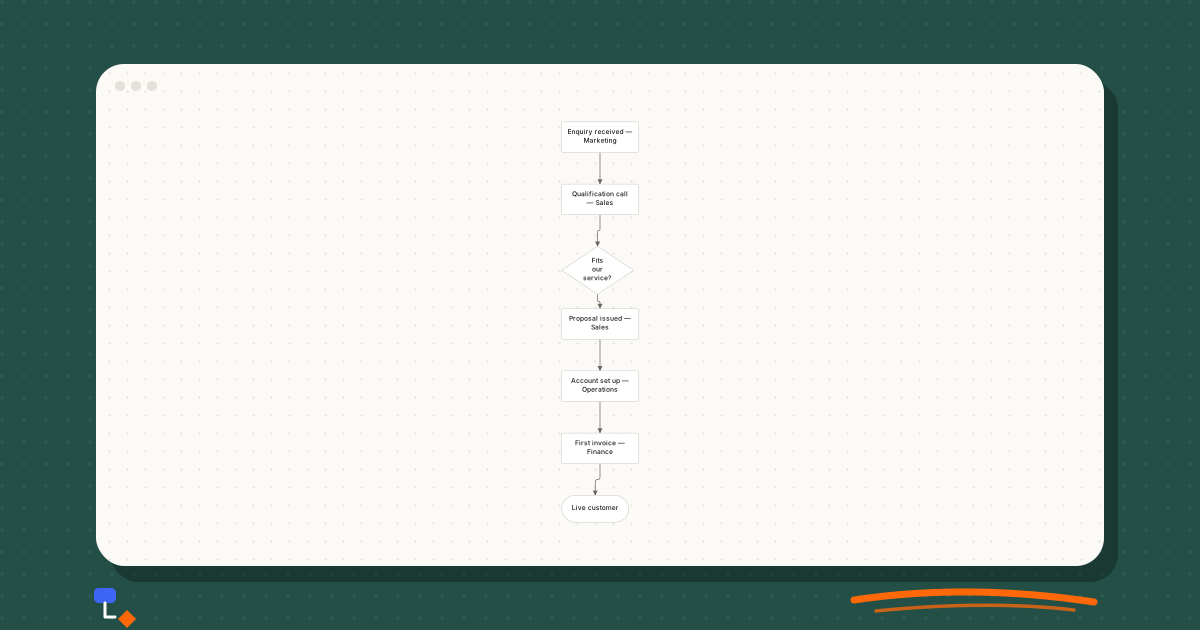
Business processes9 min read
The difference between a process map and a workflow
Precise definitions of process maps and workflows, the levels of detail each works at, who reads them, and one refund process drawn both ways.
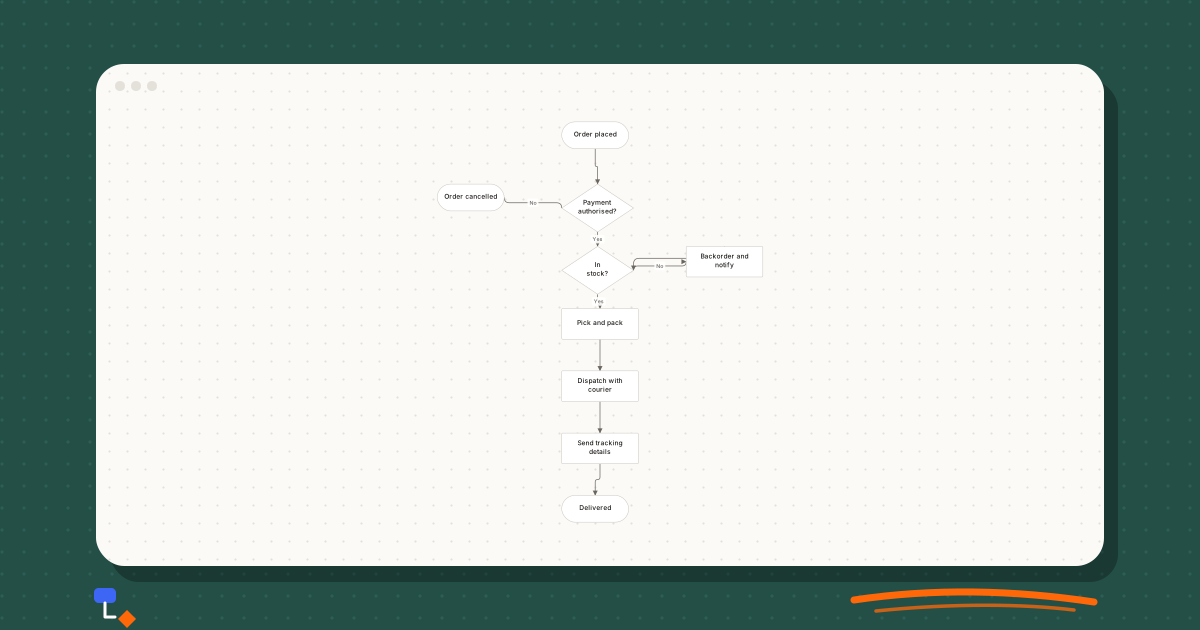
Business processes9 min read
Swimlane diagrams explained with a simple business example
How swimlane diagrams show responsibility, why handoffs across lanes matter, horizontal versus vertical lanes, and an order-to-invoice example drawn step by step.
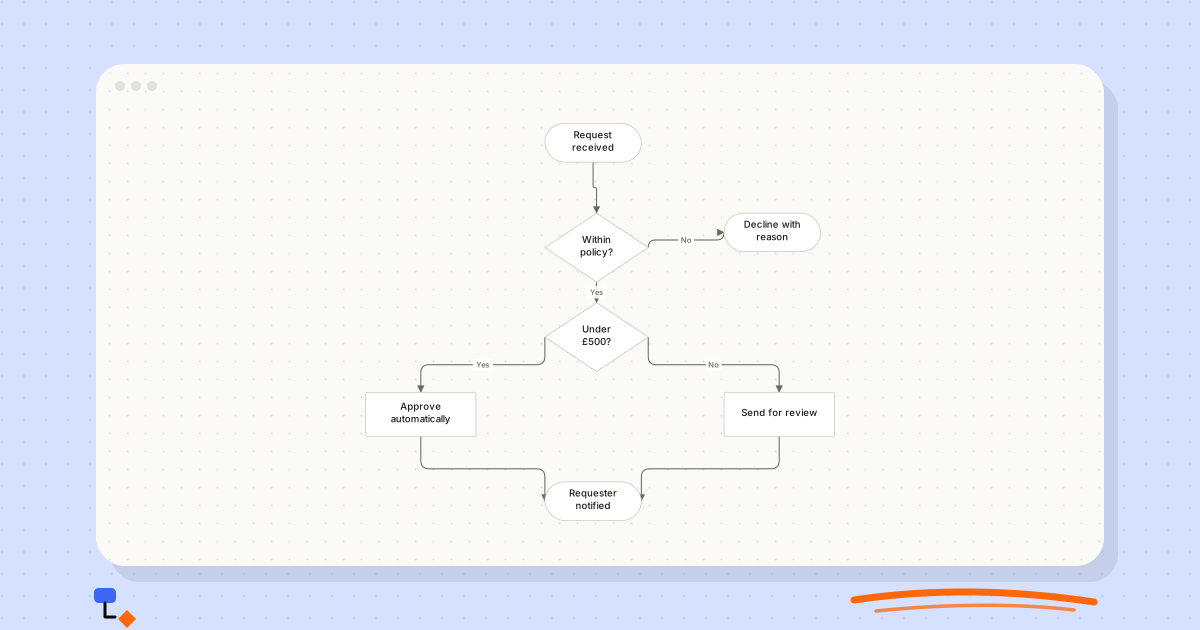
Flowcharts9 min read
Seven flowchart mistakes that make processes harder to understand
Unlabelled branches, dead ends, vague questions and six other habits that make flowcharts misleading, with how to spot each one and how to fix it.
Business processes9 min read
Customer journey maps: what the rows and columns actually mean
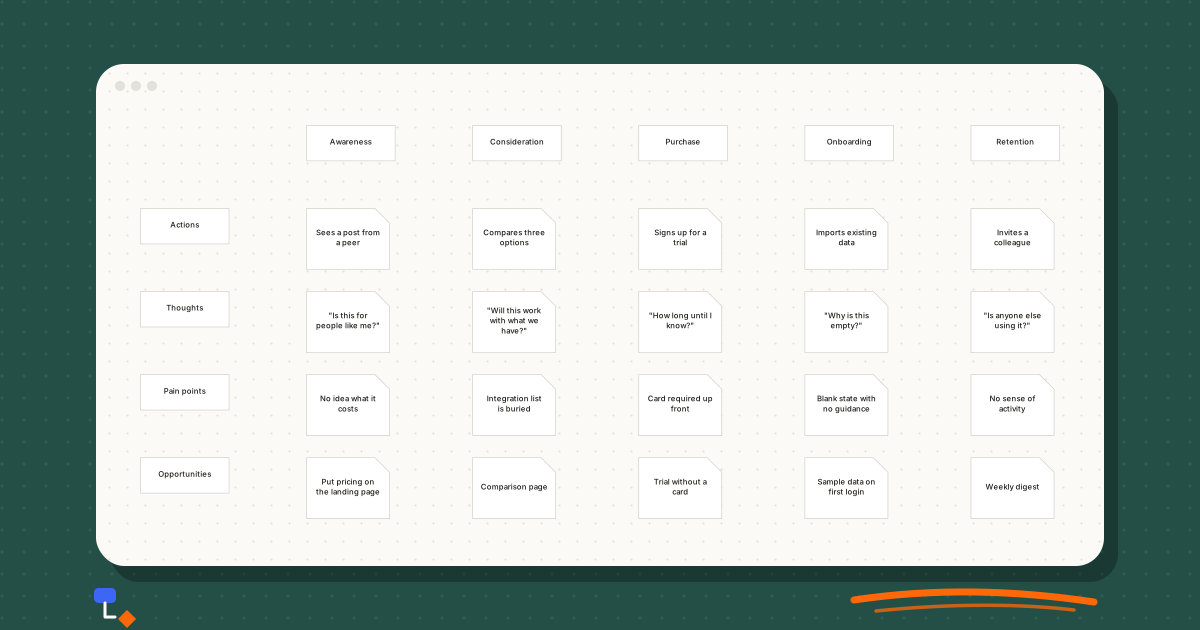
What each stage and row of a customer journey map is for, how to fill it from evidence rather than guesswork, and a worked example for a software trial.