UML diagram maker
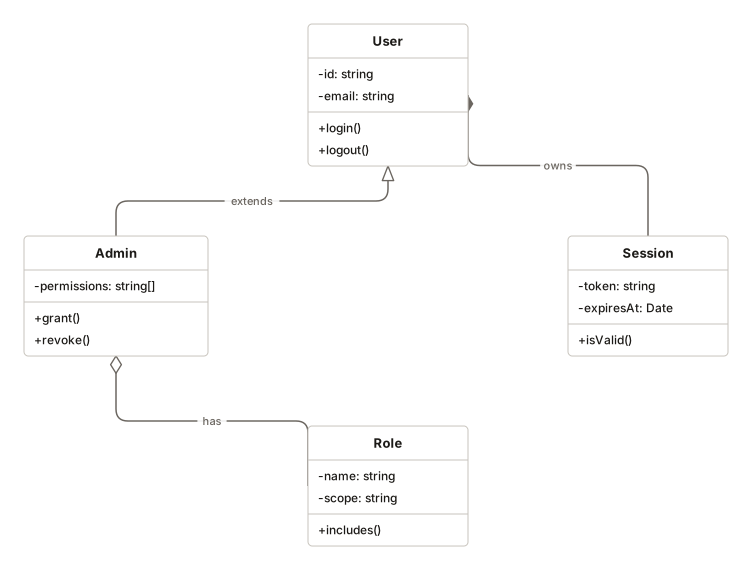
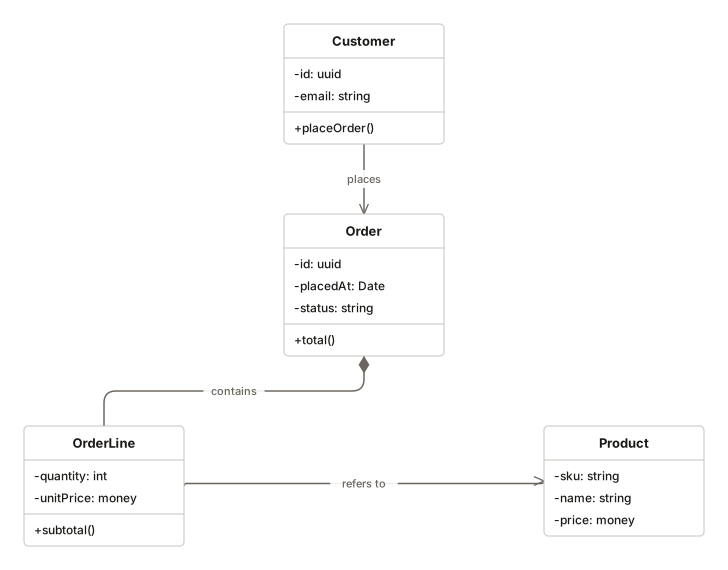
Class diagrams with the notation the specification actually asks for: hollow triangles for inheritance, hollow diamonds for aggregation, filled for composition. Getting those wrong makes a diagram mean something else.
No account. Saved in this browser until you export it.
The pieces
What goes on the canvas
- Class
- Name, attributes and methods
- Interface
- A contract other classes implement
- Note
- A comment attached to the model
Building one
From blank canvas to finished diagram
- 1Add a class and name it. The box has three sections: name, attributes, methods.
- 2Add attributes with visibility markers — plus for public, minus for private, hash for protected.
- 3Connect classes and pick the relationship. The notation follows from the choice.
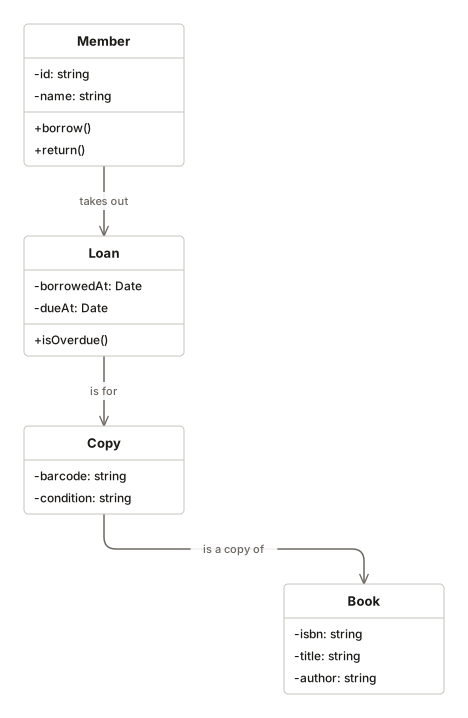
- 4Keep it to the classes that carry the design. A diagram of every class is a directory listing.
Where it helps
Good uses
Explaining a design before writing it
Cheaper to move a box than to refactor a module.
Onboarding to an unfamiliar codebase
The shape of the domain, without reading every file.
Design review
Disagreements surface faster when the model is on one page.
Teaching object-oriented modelling
The notation is the lesson.
Questions
Asked often
- Which UML diagram types are supported?
- Class, use case and component diagrams, plus sequence diagrams in their own editor. Not the full specification — the parts people actually draw.
- Why does relationship notation matter?
- Aggregation and composition look similar but mean different things about ownership and lifetime. A hollow diamond where a filled one belongs says the opposite of what you meant.
- Do the sections resize?
- Yes. Class height grows with its attributes and methods, so nothing clips.
- Is this strict UML?
- It follows standard notation for what it supports, and does not pretend to cover the rest.
Model the design
Nothing to sign up for. The diagram stays on this device.