Org chart maker
An org chart is more useful than a list of job titles, because it shows who answers to whom. Draw one by hand, or paste a CSV and let the reporting lines assemble themselves.
No account. Saved in this browser until you export it.
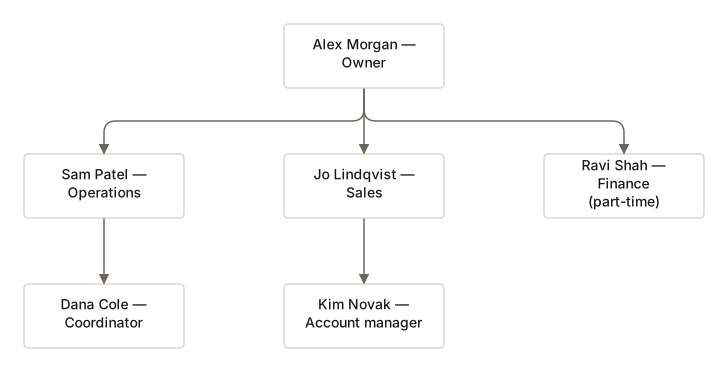
The pieces
What goes on the canvas
- Person
- Name, title and department
- Role
- A position rather than a person
- Note
- Context about a team
Building one
From blank canvas to finished diagram
- 1Add the person at the top, then press Tab to add their first direct report.
- 2Enter adds another report at the same level; Shift+Tab moves someone up a rung.
- 3Or open Import from CSV and paste columns of id, name, title, parentId and department.
- 4The importer checks for duplicate ids, missing managers and reporting loops before it draws anything.
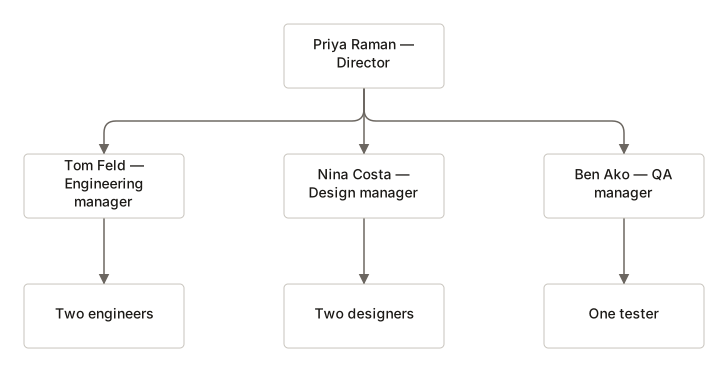
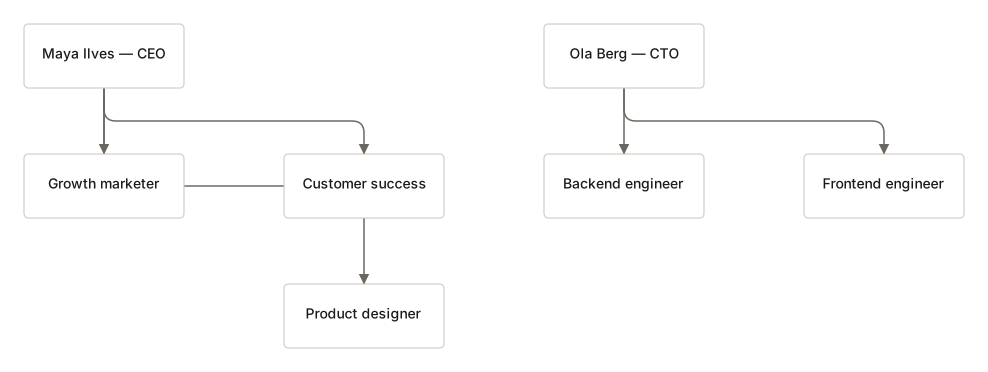
Where it helps
Good uses
Onboarding documents
New starters want to know who to ask, not what everyone is called.
Reorganisation planning
Moving boxes on a canvas is cheaper than moving people.
Vendor and agency teams
Useful when two organisations need one shared picture.
Committee structures
Non-profits and schools rarely fit a clean pyramid, and that shows up quickly.
Questions
Asked often
- What CSV columns are needed?
- id and name are required. title, parentId and department are optional. Leave exactly one parentId empty to mark the top.
- What happens if my CSV has errors?
- Nothing is imported. Each problem is listed with its line number so you can fix the file and try again.
- Can it handle two people at the top?
- It will warn you and still import. An org chart normally has one root, but co-leadership is real.
- Are the names sent anywhere?
- No. Parsing happens in this browser. Employee names never leave the device.
Draw the reporting lines
Nothing to sign up for. The diagram stays on this device.