ER diagram maker
Tables, columns, keys and the lines between them. Paste your CREATE TABLE statements and the diagram assembles itself — parsed as text in your browser, never executed.
No account. Saved in this browser until you export it.
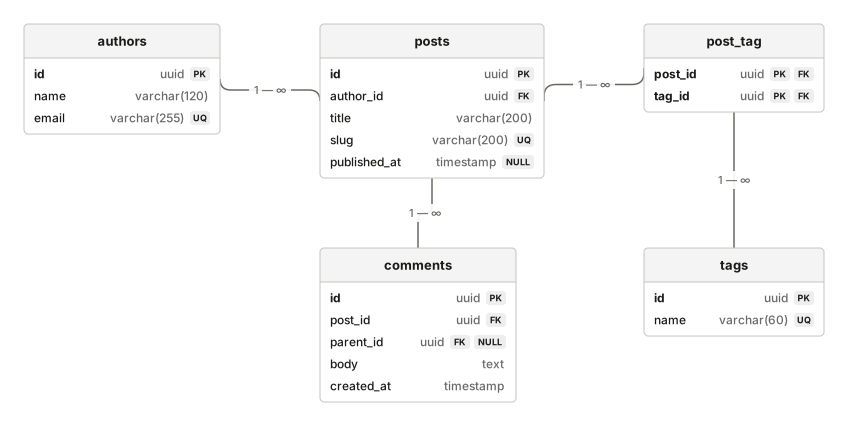
The pieces
What goes on the canvas
- Table
- Columns, keys and types
- Note
- A comment on the schema
Building one
From blank canvas to finished diagram
- 1Add a table and its columns, marking primary keys and whether each column is nullable.
- 2Or paste a schema: open Visualise SQL schema and the tables lay themselves out.
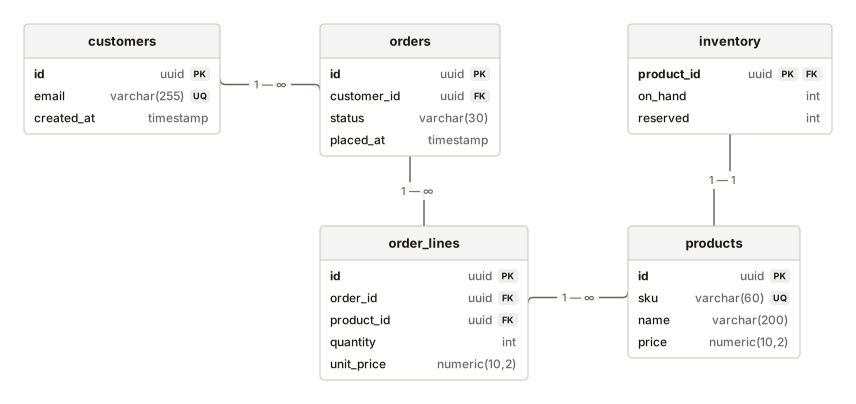
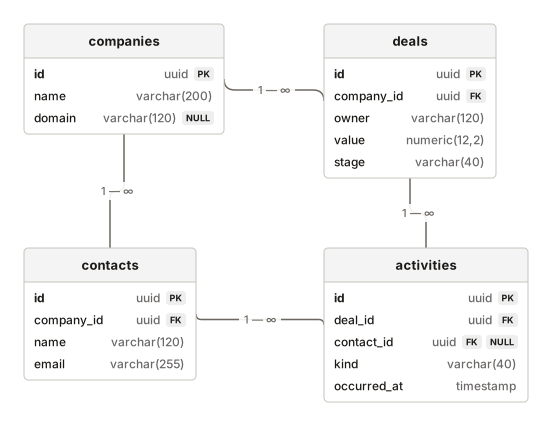
- 3Foreign keys become relationships, with cardinality derived from the key shape rather than guessed.
- 4Anything the parser cannot read is listed by line number and skipped, never invented.
Where it helps
Good uses
Before writing a migration
Cheaper to spot the missing join table now.
Inheriting a database
The fastest way to learn a schema somebody else designed.
Review and handover
Reviewers see the shape rather than reading DDL.
Teaching normalisation
The redundancy is visible once it is drawn.
Questions
Asked often
- Is my SQL executed?
- Never. It is read as text and turned into shapes. There is no database connection anywhere in DiagramDock.
- What SQL does the parser understand?
- CREATE TABLE with columns and types, PRIMARY KEY, FOREIGN KEY with REFERENCES, NOT NULL and UNIQUE — inline or as table constraints. The dialog lists this before you paste.
- How is cardinality worked out?
- A foreign key that is itself unique or a primary key implies one-to-one. Otherwise one-to-many. A table that is nothing but two foreign keys is treated as a join table, so many-to-many.
- What if it cannot parse something?
- That statement is reported with its line number and skipped. Nothing is guessed.
Visualise the schema
Nothing to sign up for. The diagram stays on this device.