Wireframe maker
Boxes, lines and placeholder text. Deliberately crude, because a wireframe that looks finished invites feedback on the wrong thing. This does not try to replace Figma and would be worse if it did.
No account. Saved in this browser until you export it.
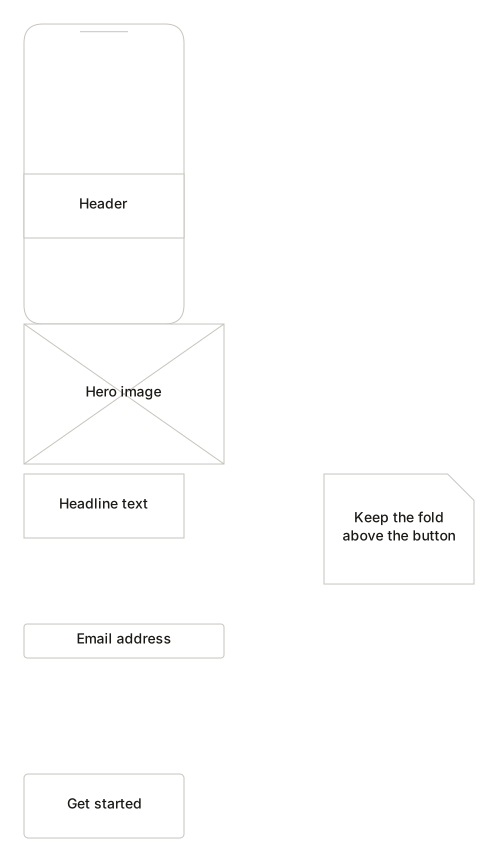
The pieces
What goes on the canvas
- Browser frame
- The outer window
- Mobile frame
- A phone screen
- Header
- Masthead or nav bar
- Input
- A text field
- Button
- A control the user clicks
- Image
- Where a picture goes
- Card
- A block of grouped content
- Table
- Rows and columns
- Annotation
- A note for whoever builds it
Building one
From blank canvas to finished diagram
- 1Place a browser or mobile frame to fix the canvas you are designing into.
- 2Block out the regions — header, content, sidebar, footer — before any detail.
- 3Add controls where they belong. Greyscale keeps attention on structure.
- 4Annotate anything the layout cannot say on its own.
Examples
Start from a real one
Where it helps
Good uses
Early layout discussions
Cheap enough to throw away, which is the point.
Requirements gathering
Faster than describing a screen in prose.
Developer handover
When the structure matters more than the styling.
Teaching layout
Grid and hierarchy, without the distraction of colour.
Questions
Asked often
- Is this a design tool?
- No. It is intentionally lightweight, for structural sketches. For visual design, use a design tool.
- Why is everything greyscale?
- Low fidelity is a feature. Colour and polish pull feedback towards styling before the structure is settled.
- Can I make it interactive?
- No. There is no prototyping, no linking between screens and no click-through.
- Can I export it?
- Project files work now. Image and PDF export arrive with the export phase.
Block out the layout
Nothing to sign up for. The diagram stays on this device.